
Why not TeamViewer, PCAnywhere, AnyDesk, …
When a remote installation requires assistance, a desktop sharing utility is welcome. There are many available, such as PCAnywhere, TeamViewer, etc. Most are gratis (for “personal” use) and can run on almost any operating system.
What are the main desirable functionalities ?
Strong encryption, low bandwidth requirement, low latency, portability, …
What else ?
In certain circumstances, a file transfer feature or chat window is welcome.
What is the problem ?
Almost all corporate desktop computers, laptops, servers, tablets, smartphones, … are connected to the Internet via NAT (Network Address Translations), or even via a firewall and/or proxy. This is due to the need to protect internal networks (LANs) from the Internet. Almost all mobile network operators do this, even without informing you.
As a result, these devices are not directly accessible from the Internet.
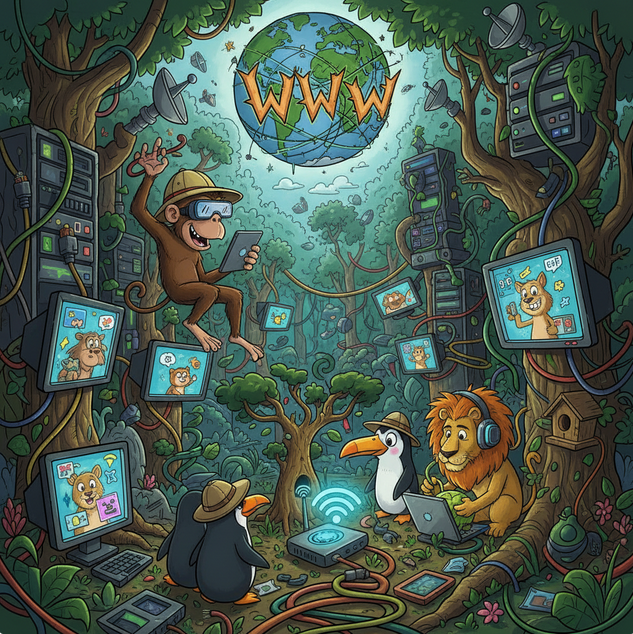
This is the desired outcome: no incoming connections should be permitted from the “World Wild Web” to a device hosted on an internal company network !
Thus, due to these quasi-universal measures (which is reasonable) there is usually no way to establish a direct end-to-end connection between the device that wants to share its desktop and the remote computer that needs to access it.
How do they solve this ?
The technique involves maintaining an open connection between each client software and a mysterious “cloud server“. In this way, the connection that is established by the client leaves the company network. This operation is almost always authorized, particularly on general-purpose ports such as port 443 (https). It is very likely that this outgoing connection is achievable.
As soon as the software is installed, it can connect to the “cloud server” even before you give it permission (for reasons of “telemetry”, “improving the user experience” or any other bogus excuse).
And that is certainly what it does as soon as you “grant easy access”.
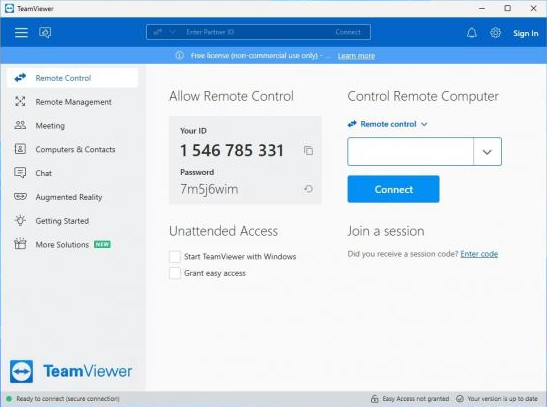
All client software is now connected to this “cloud server“, an unknown server that is completely independent of your company, hosted somewhere, most likely abroad, in a country whose laws, justice system and practices you have no control over. You trust them without knowing them… (NSA? CIA? GRU? Mossad? Let’s keep our fingers crossed).
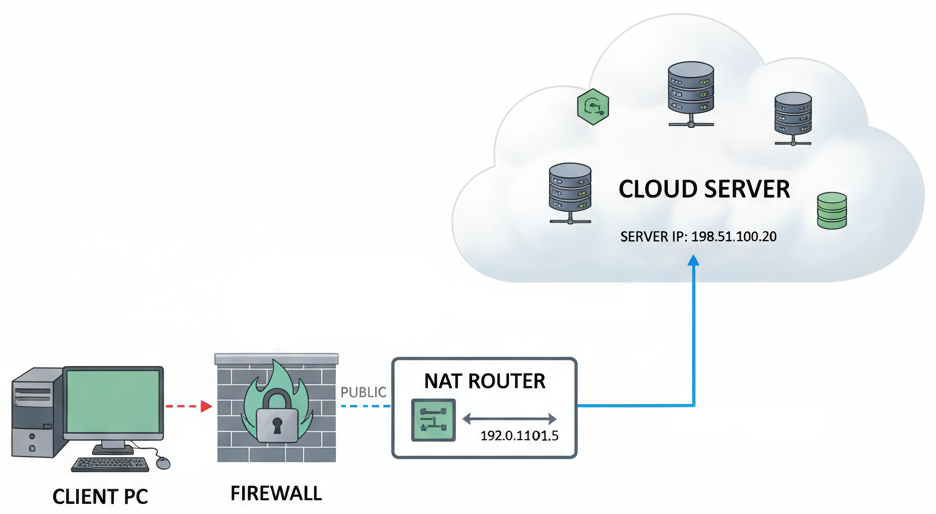
Furthermore, it is generally said that:

These services are generally gratis (but not free, as in the case of Free Software), so how are they monetized ? This also applies to Google Meet, Zoom, Teams, WebEx, Messenger, WeChat, WhatsApp, Telegram… and many more !
When you want to connect to another desktop, you ask your counterpart for their credentials (in this example, a username and password), but this does not connect you directly to his computer. Instead, the system asks the “cloud server” if another connected user matches these credentials. If so, you will then be connected to the other user via this “cloud server“.
How does your connection then penetrate the internal network of your remote correspondent ?
Since the other party has also installed this software, their office is also permanently connected to this “central server“. This type of connection (TCP) is established on the initiative of one party (the “client”) to the other site (the “server”, in this case the mysterious “cloud server“), but once the connection is established, exchanges occur in both directions, allowing the “cloud server” to use this connection to send commands to the desktop sharing software you have both installed.
You never connect directly to your remote contact. You actually exchange information via the “cloud server“, a server managed by a company that neither of you knows, with which you have no contract and which you do not even pay for !
Furthermore, the session ID and password are known to this “cloud server“, so it is not really a secret password, or at least, everyone knows it: you, your remote partner, and the intermediary company (Symantec, Microsoft, Cisco, Alphabet, Meta, or others).
Furthermore, most desktop sharing software is closed-source, proprietary products, meaning you cannot even check what they are actually doing, for example on your computer, during the night when the screen saver is locked.
May I remind you that this software has access to:
- Your screen
- Your keyboard
- Your mouse
- And most of the time, even to your files !
And there is absolutely no need for a trusted remote partner to initiate an incoming connection to your desktop in order to access it! The only thing that is actually connected to your computer is… the mysterious “cloud server” and nothing else !
Ok, so what should I do ?
As with any other industrial security issue, only use OpenSource software (such as VNC). Even if you haven’t checked the source code yourself, many organisations have done so for you (such as NASA, IBM, governments, universities and others). It is also checked by the open source community as a whole.
Secondly, avoid any intermediary servers. If this is not technically possible, use a trustworthy service such as Signal Messenger.
Finally, if you cannot avoid an intermediary server and cannot rely on a trustworthy server, opt for a strict end-to-end encryption system, such as that provided by Signal Messenger.
How do we do with Abil’I.T. remote assistance help-desk ?
At Abil’I.T, we have set up a remote assistance URL that allows us to receive your connection on the desktop of the next available staff member. This URL is: ‘help.abilit.eu’ (we use VNC for this). Here, the “intermediary server” does not exist, or is reliable, as it is part of our infrastructure.
For desktop sharing, there is the very promising OpenSource tool, that is Jitsi Meet.

Jitsi is easily installable on Android/Linux as well, from the famous F-Droid Free Software alternative repository. Abil’I.T. hosts its own Jitsi videoconferencing server, Jitsi.abilit.eu, so you can connect with confidence and security.
For Scada-LTS users, the bootable installation USB key contains a procedure that allows you to share an interactive console between you and us, even from the Scada-LTS server, directly between your premises and ours, without any intermediary service, and entirely under your control.
We think your industrial, critical infrastructures
deserve this level of security.